Capabilities
One conversation instead of ten different screens
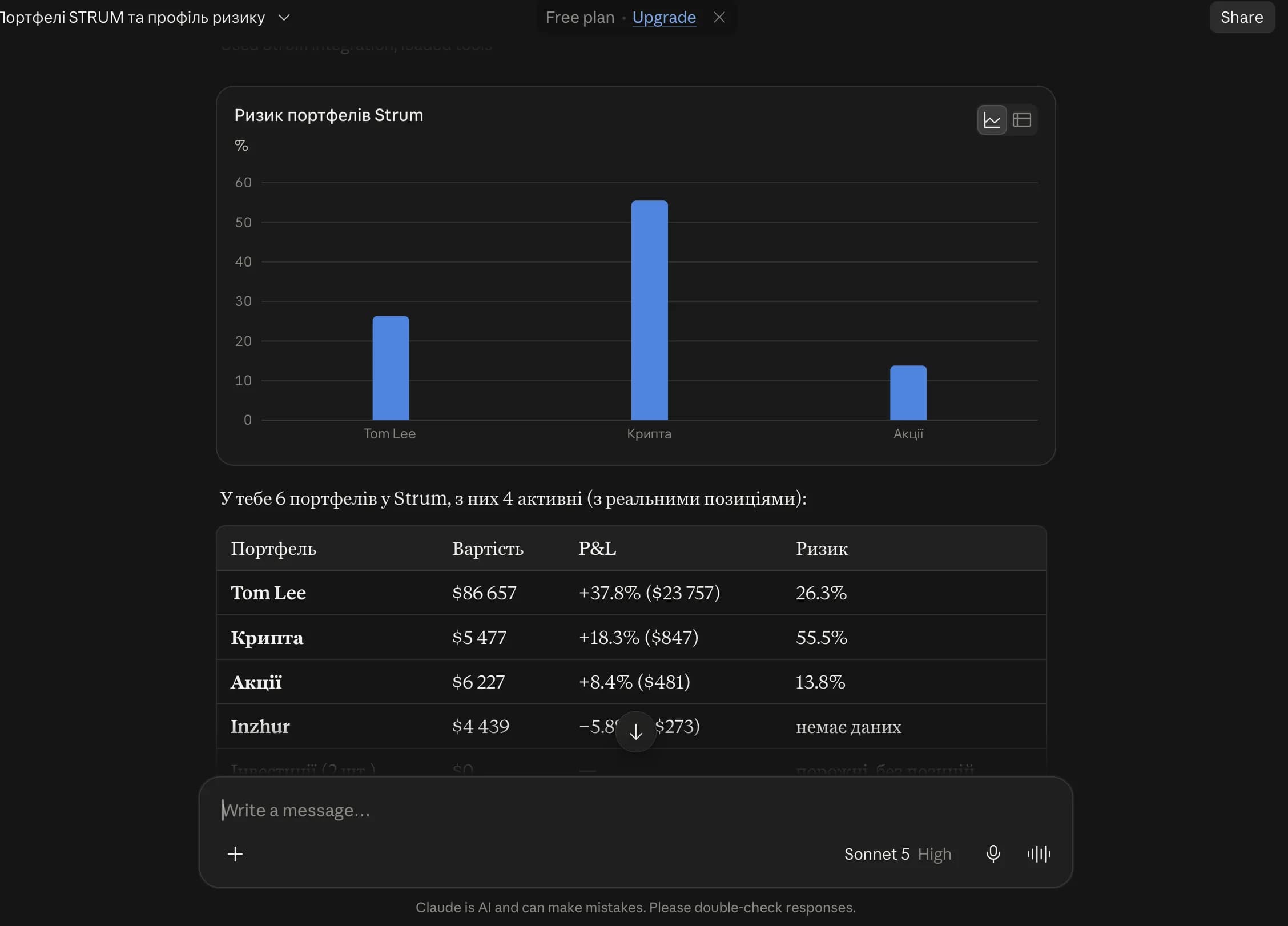
AI receives structured data from Strum and can combine several tools to answer a complex financial question.
Portfolios and allocation
Holdings, target templates, performance, dividends and plan-eligible risk analytics.
Budget and cash accounts
Income, spending and categories with budget and portfolio cash clearly separated.
Investment analytics
Capital history, portfolio results and key metrics for the period you choose.
Financial goals
Goals, target amounts, deadlines and long-term planning context.
Watchlists
Tracked assets, prices and changes without manual copying.
Import history
Portfolio synchronization history, covered periods and imported transaction counts.
Connection
Three steps to give your AI trusted Strum context
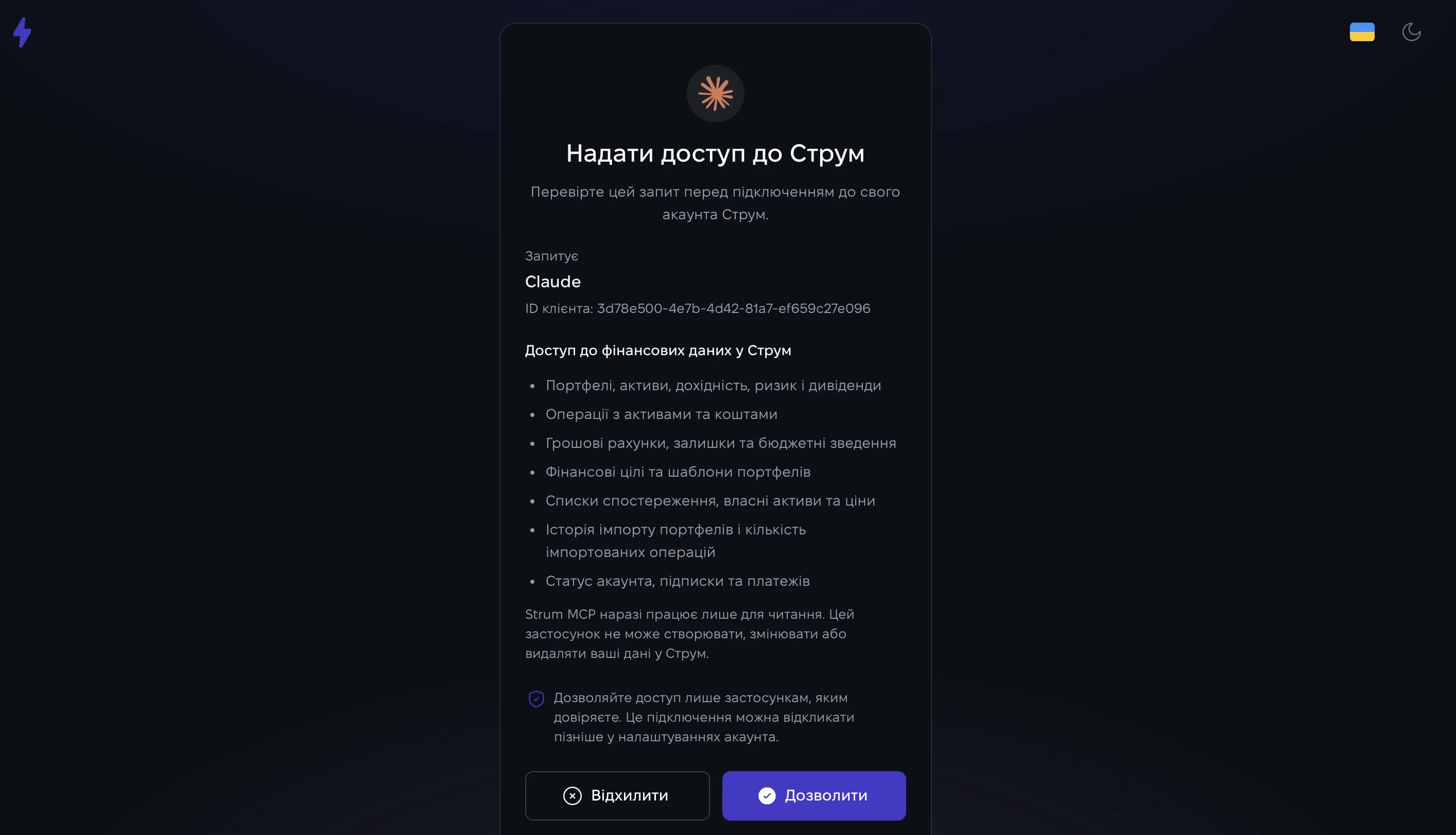
Strum handles OAuth automatically. Never copy passwords or access tokens into an AI chat.
Add a custom connector
Open the connectors or MCP settings in your AI application and add a remote server.
Paste the Strum MCP address
Name the connector Strum and use the official server address shown below.
Approve access
Sign in to Strum, review the OAuth request and approve it. You can revoke access at any time.
Remote MCP server address
Instructions for popular AI clients
Claude
Settings → Connectors → Add custom connectorChatGPT
Custom MCP app availability depends on plan and workspace policyExample prompts
Ask the way you would brief a financial assistant
Answers improve when you specify the portfolio, period, currency or budget context.
Capital overview
“Show my portfolios and summarize their current value.”
Target allocation
“Compare my current portfolio allocation with my target template.”
Spending
“How much did I spend on gifts from budget accounts in June?”
Risk and return
“Analyze my portfolio performance and risk over the past year.”
Cash accounts
“Show cash accounts separately for budgeting and investment portfolios.”
Financial goals
“Show my financial goals, target amounts and deadlines.”
Access control
Your data remains under your control
Strum MCP is a protected read layer: the AI never receives your password and cannot execute trades or modify records.
OAuth 2.1 and PKCE keep authorization inside Strum rather than the AI chat.
Paid analytics follow the same pricing-plan and role limits as the Strum interface.
Read-only access cannot create, edit or delete financial data.
Connection dates and recent MCP activity are visible in Settings.
Disconnecting immediately blocks the OAuth client, including unexpired access tokens.
Reconnecting always requires a new explicit OAuth approval.
How Strum features work together
AI works with structured data from Strum’s core modules — portfolios, analytics, budgets, goals, and watchlists — so an answer can reflect a broader financial picture.
For questions about your current capital, AI can use portfolio data from the dashboard, including holdings, structure, and allocation.
For everyday finance questions, budgets and cash accounts give AI context on income, spending, and categories separately from investment cash.