Importing IBKR reports is available on all plans, including "Beginner".
How to get the report
-
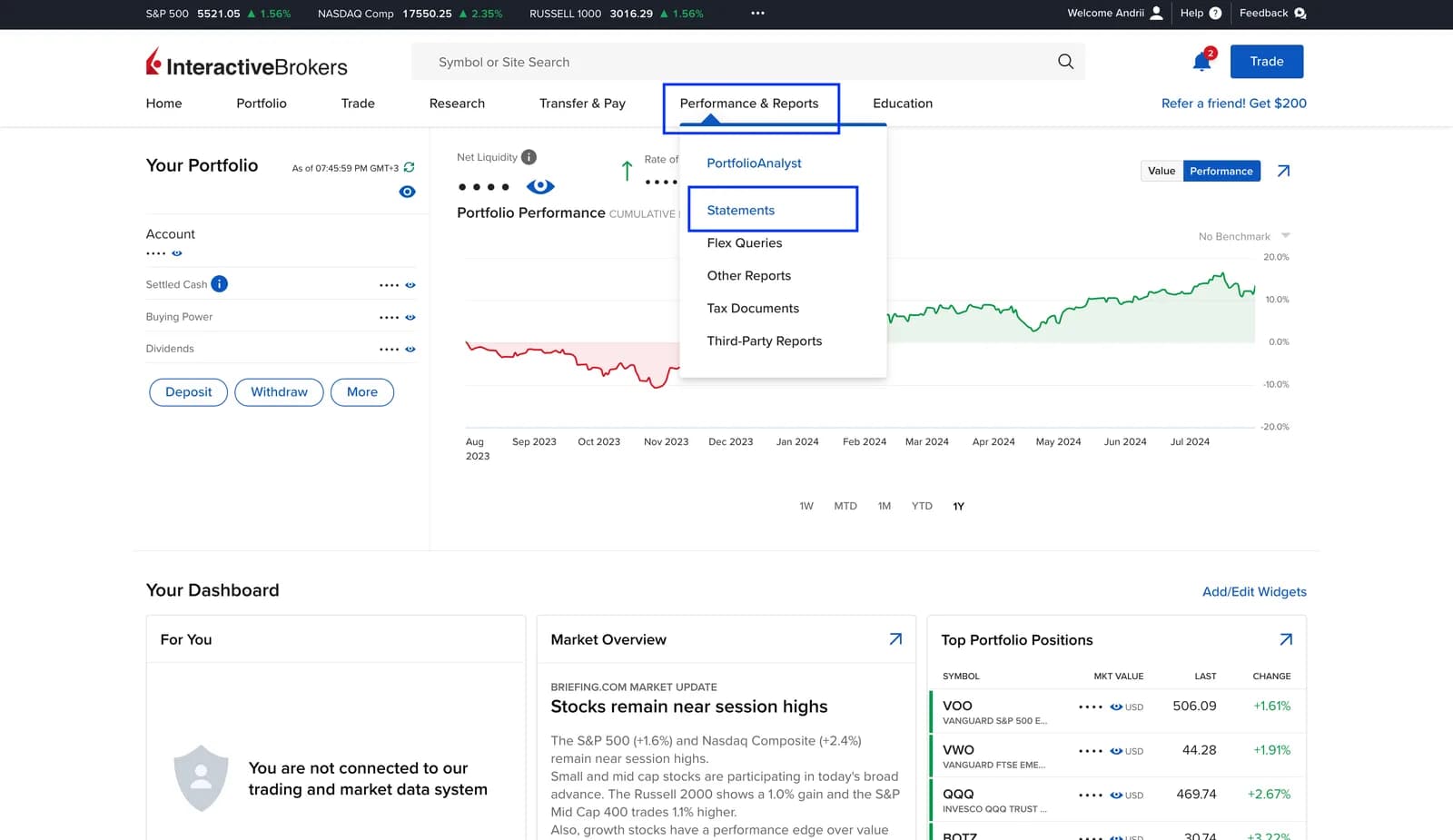
In your IBKR account, open Performance & Reports → Statements.
-
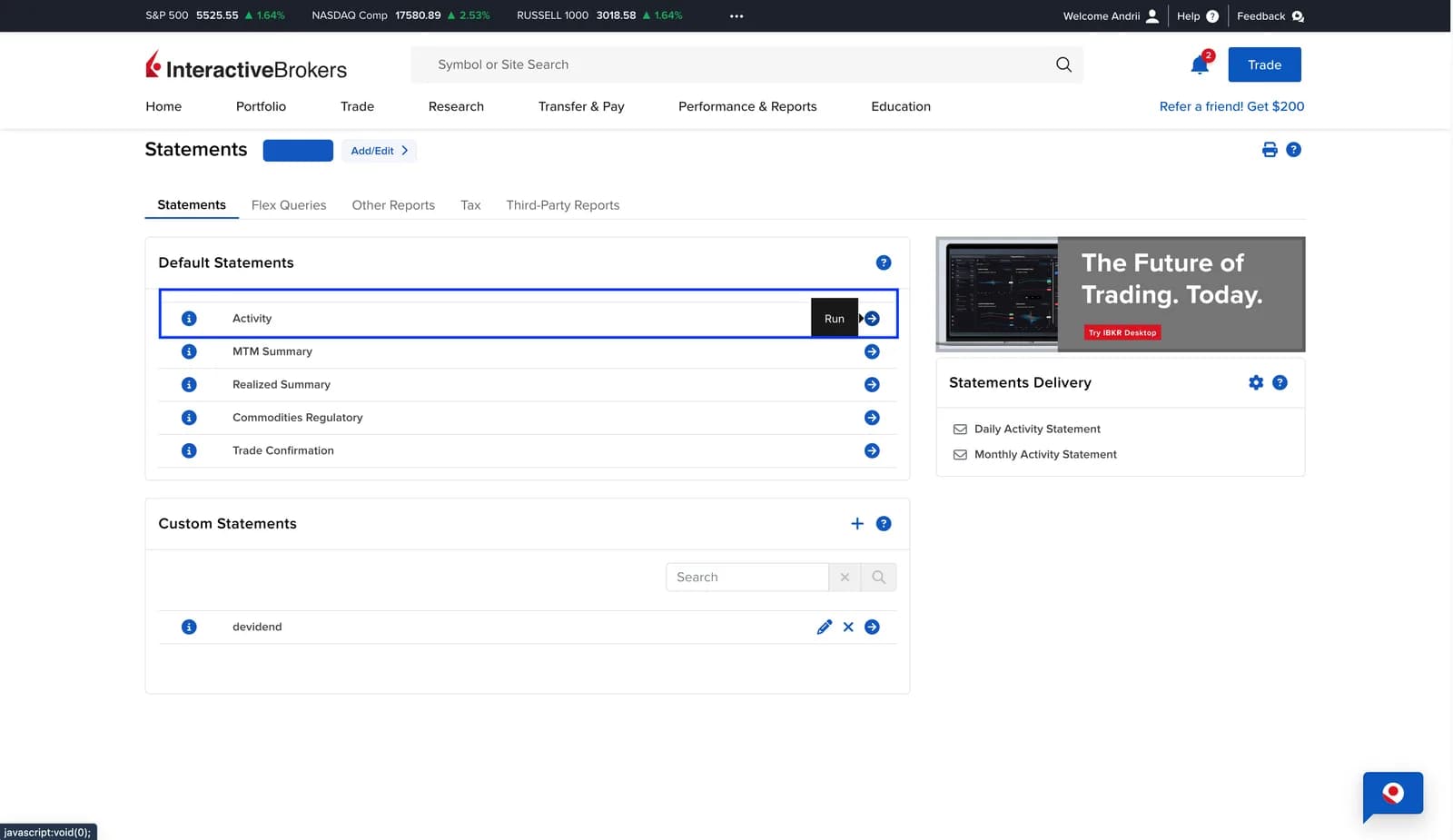
Choose the Activity report.
-
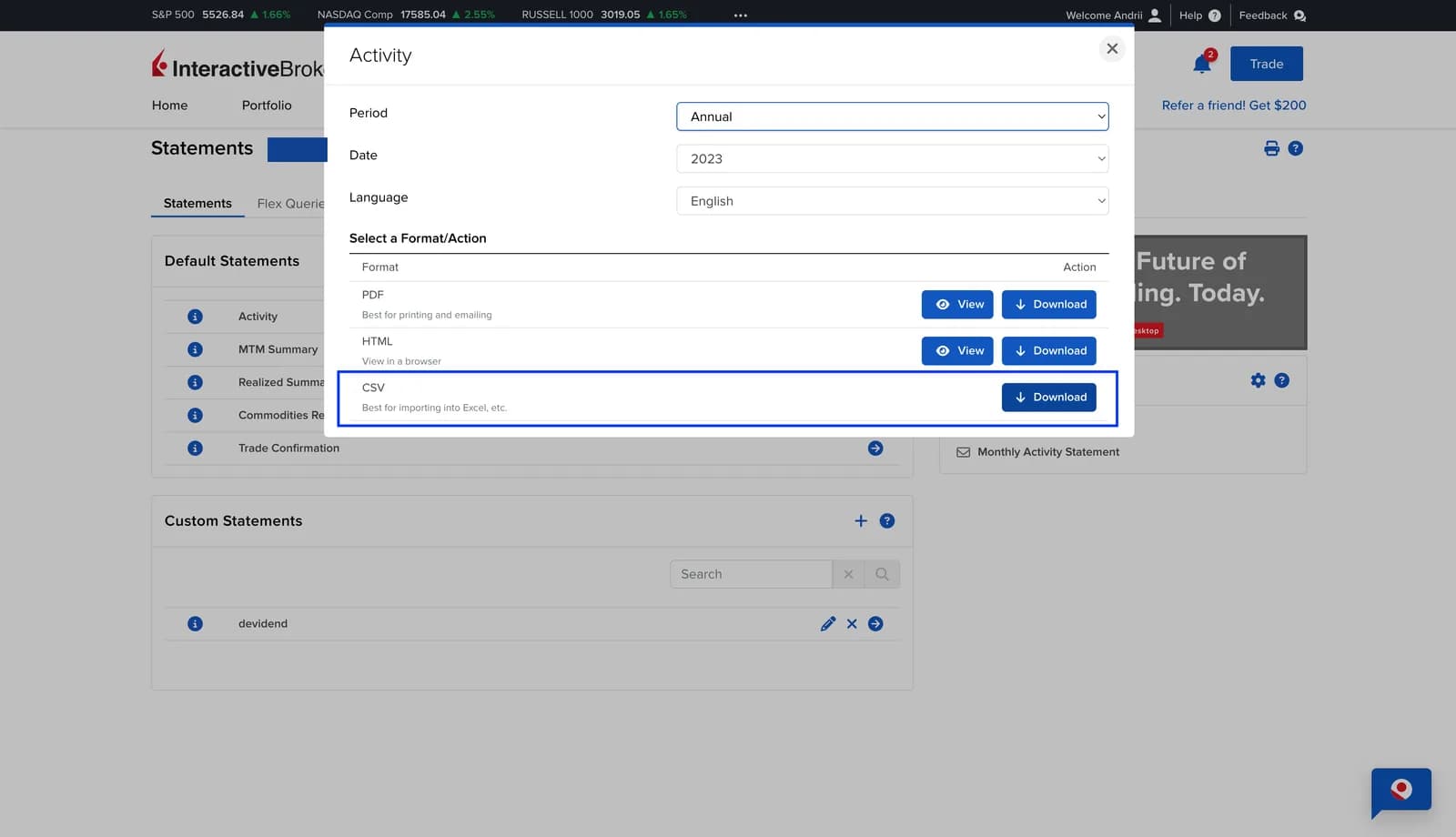
Set the period, the CSV format and the English language. Click Run.
-
Upload the file you get to Strum: profile → "Trade import" → "Upload statement" → "Upload IBKR statement".
The first time, upload your history from the day you opened the account. If one report doesn't cover the whole period, upload several files for different periods together. Strum counts operations that repeat across files only once.
After that
When new trades or dividends come in, upload a report starting from the date of your last import. The "Import" button is on the portfolio page.
What gets imported
| Operation | What Strum creates |
|---|---|
| Trades in stocks, ETFs and bonds | Buys and sells |
| Currency exchange (Forex) | Currency exchanges between cash accounts |
| Deposits and withdrawals | Deposits and withdrawals of funds |
| Transfers | Incoming or outgoing assets |
| Dividends | Dividends |
| Tax withheld from dividends (Withholding Tax) | Tax |
| Commissions, fees, commission adjustments | Fees |
| Interest | Interest |
| Grant Activity (RSU, vesting) | Shares from your employer |
| Mergers and share exchanges, ISIN changes | The position moved to the new security |
| Spin-offs | New shares received when a company is spun off |
Not imported: options and futures. They'll be skipped in the import review.
Trade dates
Strum uses the Trade Date, not the Settle Date. You can correct the date during the import review or later in the "Trades" tab.
Multiple currencies
Each operation is stored in its own currency. For display and analytics, Strum converts it to the portfolio currency at the rate for the date of the operation.
Sync and file together
If IBKR is connected through sync, you can add older history with a file. Strum removes duplicates between the sync and the file.